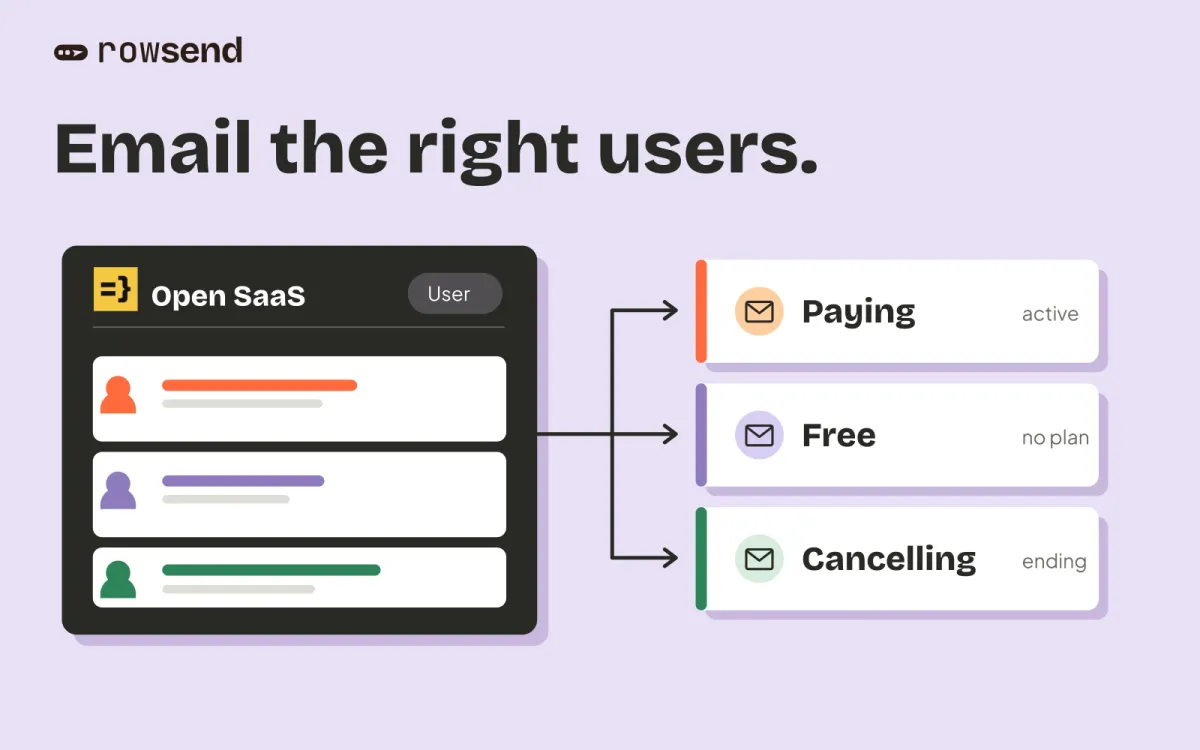
Your customers are in Supabase. Their email addresses live in auth.users, but their plan and product activity live in profiles. You want to announce a feature to the right people without maintaining another copy of those fields by hand.
Rowsend fits that job when you want a desktop campaign editor that reads your database and sends through your own provider. Loops fits when you want a hosted platform for campaigns, automated sequences and transactional email, with a shared browser workspace.
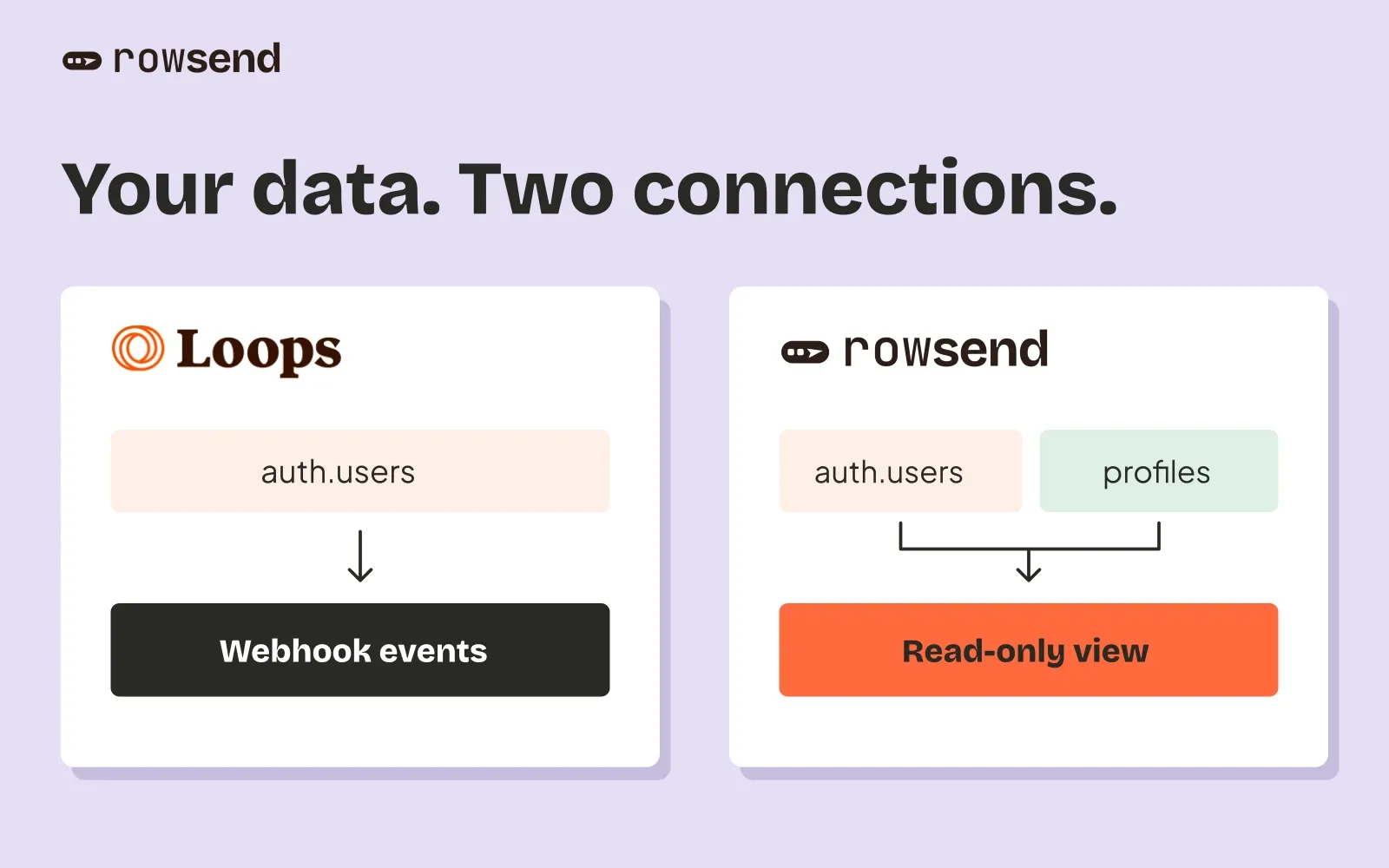
The Supabase distinction is specific. Loops’ built-in contact integration receives events from auth.users. Rowsend reads a view that can join your customer tables, including users who existed before you connected. Loops can also receive custom fields through its API, so the decision is how you want to maintain that connection.
Rowsend and Loops at a glance
| What matters | Rowsend | Loops |
|---|---|---|
| Workspace | Desktop app | Hosted browser dashboard |
| Supabase contacts | Read-only view, with joins | Built-in auth.users webhooks; API for other data |
| Existing users | First sync reads the view | Plan a separate backfill alongside webhooks |
| Campaign creation | Visual editor, HTML designs, templates | Hosted editor and templates |
| Sending | Your SES, Postmark, Mailgun or SMTP account | Loops handles sending |
| Targeting | Saved filters on synced fields | Contact properties and email activity |
| Preferences | Topics; public pages need Cloud or a server | Mailing lists and hosted preferences |
| Scheduling | Computer running, or optional Cloud credential storage | Hosted sending |
| Open and click tracking | Not tracked | Available for campaigns and workflows |
| Automated sequences | Campaigns and batches only | Event-triggered workflows |
| Billing | App once, sending usage, optional Cloud | Subscription based on subscribed contacts |
What the Supabase integration actually syncs
Loops’ Supabase contact integration accepts insert, update and delete events on auth.users. It ignores events from other tables. It syncs the user ID, email address and optional names from the first_name and last_name metadata keys.
The guide does not describe an initial backfill. Treat loading existing users as a separate setup step, rather than assuming that enabling webhooks copies your current audience. This is a limit of the documented integration, not a claim that Loops cannot hold those users or other fields.
For product fields outside that table, you can use the Loops contacts API to create and update contacts with custom properties. You then own the code that sends changes, plus the initial load. That can be a good fit if your application already sends events to Loops.
Rowsend’s Supabase setup creates a read-only login and a rowsend.contacts view. Choose the tables and fields in the connect dialog, or write the select yourself. The first sync reads existing rows from that view. Later syncs read changed rows, and contacts removed from the source disappear from the local copy.
Rowsend syncs at launch and every 15 minutes by default while the app runs. You can change the interval or click Sync now. This is periodic syncing, so it does not replace an event-triggered workflow.
Example: announce a feature to paying customers
Suppose a fictional reporting product stores plan, report_count and account_status in public.profiles. Each profile has a user ID that joins to auth.users.id, and an updated_at column that changes whenever those fields change.
In Rowsend, join the profile table and include those custom fields. Use the later update timestamp from the user and profile rows, so a plan change alone reaches the next sync. The visual picker can generate this join; if you write SQL yourself, make sure the returned updated_at advances for changes in either table.
Save these segments and use them for the campaign:
| Segment | Match | Conditions |
|---|---|---|
| Paying report users | All | plan is pro; report_count is greater than 0 |
| Closed accounts | All | account_status is closed |
Include Paying report users and exclude Closed accounts. Choose a product-updates topic, inspect the recipient count and a few matching contacts, then send yourself a test. Rowsend also excludes contacts suppressed for that topic or for every topic.
The same audience is possible in Loops. Send those properties to its contact records, then build filters and segments. Loops can also filter on campaign and workflow opens and clicks. Rowsend does not collect that activity.
Where Loops is the better fit
Choose Loops if several people need to work in a shared browser account. Its team settings let you invite colleagues. Rowsend keeps projects on your computer; use a project on one computer at a time.
Loops also has automated workflows with triggers, timers and branches. A welcome email followed by a reminder three days later belongs in a workflow. Rowsend can schedule a campaign or send it in batches, but it does not run onboarding sequences when someone signs up.
For password resets, receipts and other application messages, Loops provides transactional email. Rowsend is for marketing campaigns to people in your connected database. Keeping Loops for application email and using Rowsend for campaigns is a valid setup, though you should budget for both services if both remain paid.
Who runs the sending and recipient pages
Loops runs the sending service and provides mailing lists and a preference center. You do not need to run a companion server.
With Rowsend, you bring a sending account and choose where its companion runs. Use Rowsend Cloud or your own server for public unsubscribe and topic-preference pages. Local mode uses reply-to-unsubscribe, which you record yourself. The companion comparison explains the trade-offs.
Cloud normally needs your computer running to send. To send scheduled campaigns while it is off, enable Keep credentials on Rowsend Cloud for the project. Cloud then stores the sending credentials encrypted, and the campaign’s recipients become fixed when you schedule it. Your computer still needs to run for new contact syncs.
Read-only access protects your source database from writes by Rowsend. It does not mean message data stays entirely on your computer. Your sending provider processes messages, and Cloud or your server processes the data it needs for sending and recipient pages.
Compare the monthly cost
The calculator above compares Loops with Rowsend, annual Cloud and Amazon SES. It uses Loops’ published subscriber brackets, checked October 31, 2026. Paid plans include unlimited sends. The modeled prices are $49 monthly through 5,000 subscribed contacts and $99 through 10,000, with published brackets through 100,000 included in the calculator.
Loops Free allows 4,000 sends in a rolling 30-day window to the first 1,000 contacts, with Loops branding. Marketing and transactional sends share that allowance. The calculator assumes all entered contacts are eligible recipients and counts only the marketing sends you enter. Add your transactional usage when checking whether Free fits. If the entered volume exceeds Free, it uses the paid bracket even below 1,001 subscribers.
Rowsend’s app license is a separate one-time purchase, starting at the $20 founding tier, followed by $29 and $49 tiers. Cloud is $90 billed yearly, or $7.50 per month when divided by 12. The calculator excludes the app purchase from monthly savings.
The default SES rate is Essentials at $0.16 per 1,000 outbound emails. You can select à la carte at $0.10 per 1,000 if that is your AWS plan. Estimates exclude attachment data, SNS/SQS, optional provider charges, tax, trial credits and your existing database bill.
For a hypothetical 10,000 subscribed contacts receiving four emails each month:
| Monthly running cost | USD |
|---|---|
| Loops | $99.00 |
| Rowsend Cloud, annual fee divided by 12 | $7.50 |
| SES Essentials, 40,000 emails | $6.40 |
| Rowsend Cloud + SES | $13.90 |
That is $85.10 less per month, or 86.0% of the Loops bill, before excluded charges and the one-time license. It compares campaigns only. It does not price a replacement for Loops workflows or transactional email.
The calculator keeps the annual Cloud fee fixed at every volume and charges SES for every email. Cloud includes 100,000 sends per month. A first month over that limit keeps sending, but a second consecutive month over pauses new sends. Higher-volume estimates are arithmetic comparisons, not a promise of unlimited Cloud service. Contact Rowsend about capacity or consider self-hosting before planning sustained volume above the allowance.
Choose before moving a live audience
Choose Loops when shared browser access, automated sequences or application email are requirements. Choose Rowsend when you want campaigns built from your database fields and control over the sending provider. For a Supabase audience with profile data, compare the work of maintaining API updates with the work of maintaining a read-only view.
Before your first campaign, preserve existing opt-outs, bounces, complaints and mailing-list choices. A database sync does not import Loops’ suppression history. Rowsend has no bulk suppression import, so do not switch a large audience until you have a workable way to keep those people excluded. For a small pilot, review every recipient and mark existing opt-outs before sending.
You can keep Loops for transactional email and use Rowsend for campaigns. Test the data connection and a small, consented campaign first, then decide whether that division of work suits your team.